The instructions are for Xiaomi Note 4 only. If you are using another Xiaomi device, please find the corresponding instructions below.
Once restart your device or device has been on standby mode for a while, remember to check your settings once again.
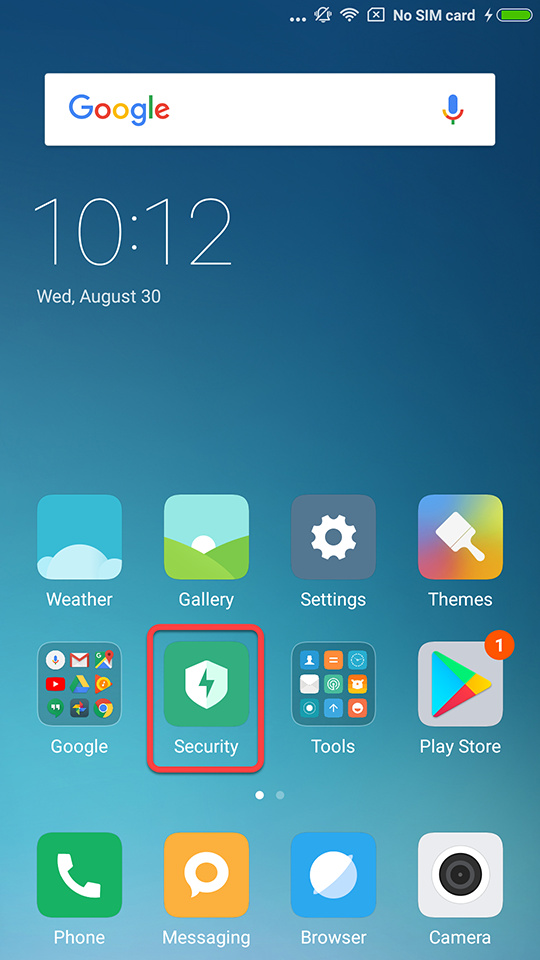
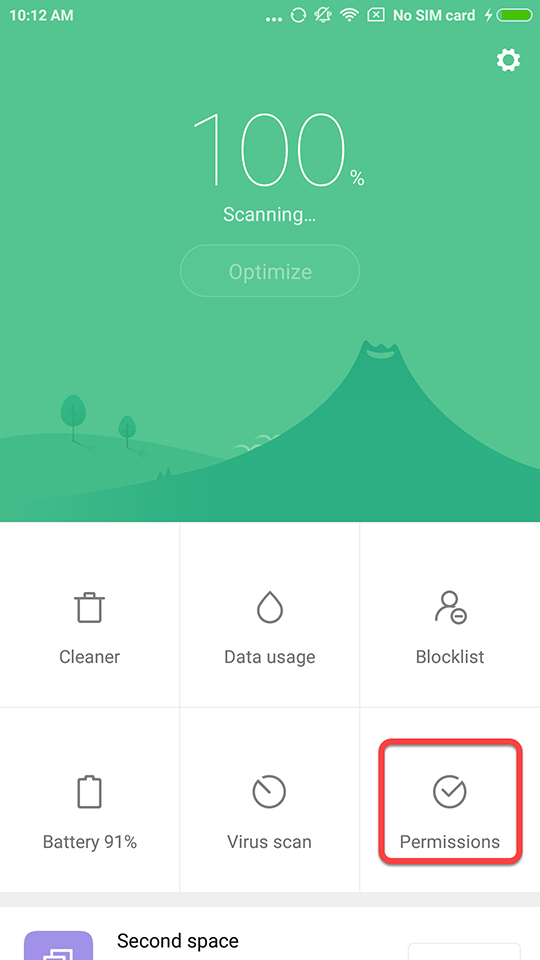
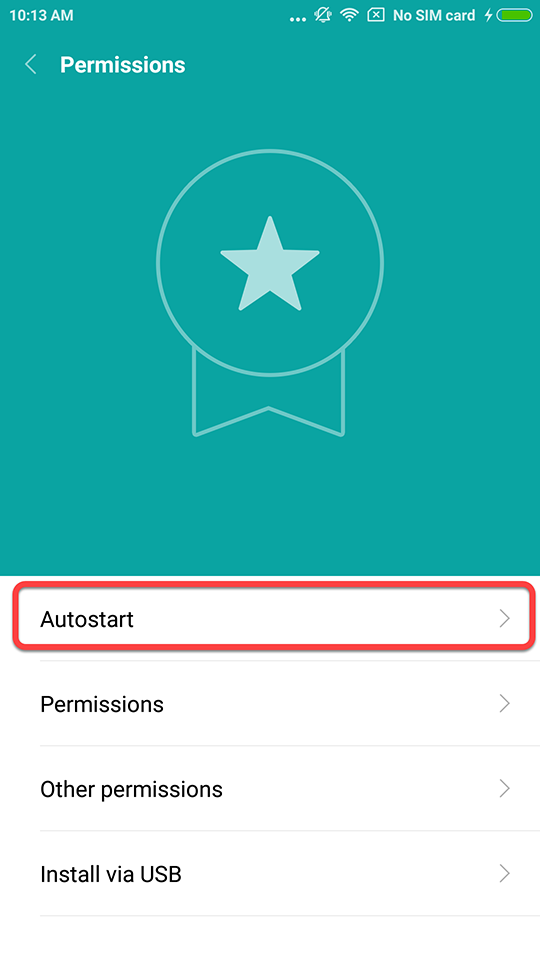
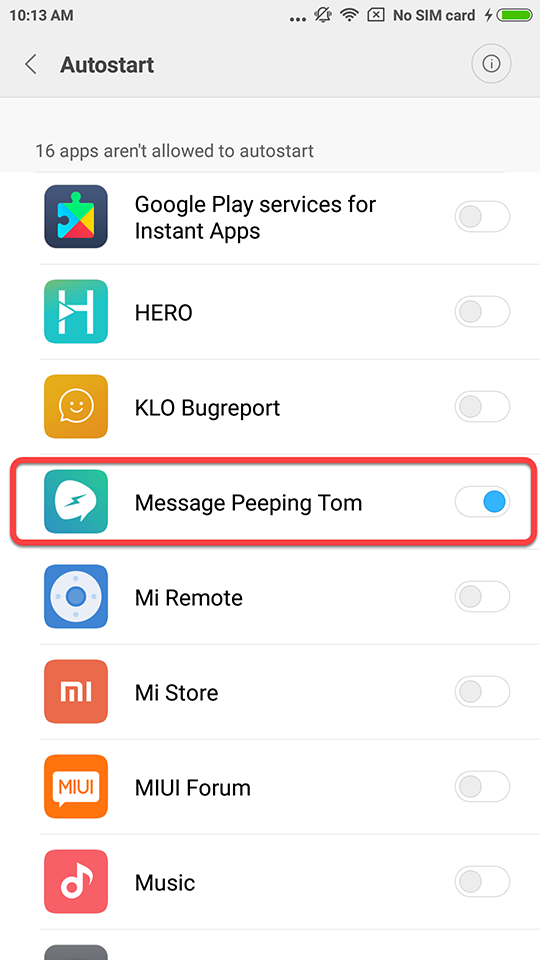
Go to [ Security ] → [ Permissions ] → [ Autostart ] → Select [ Message Peeping Tom ]
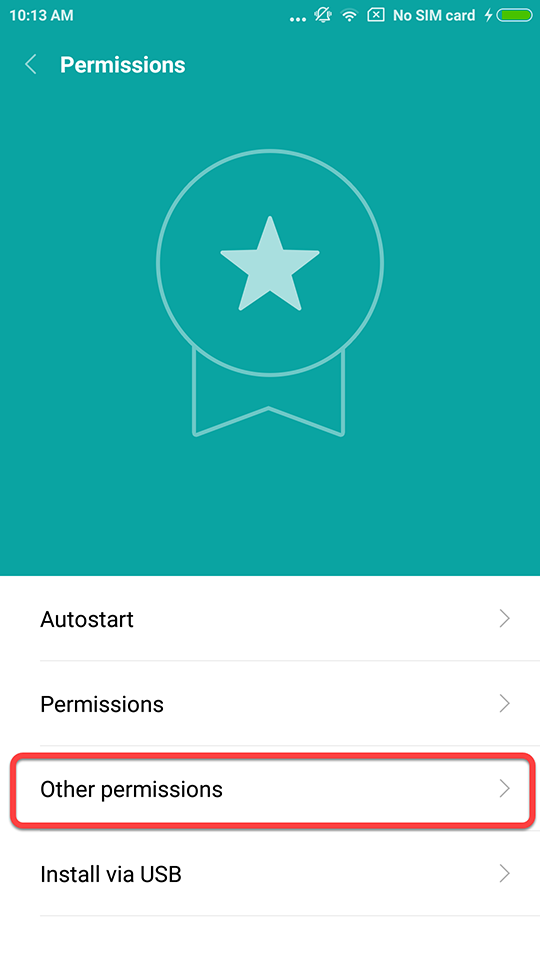
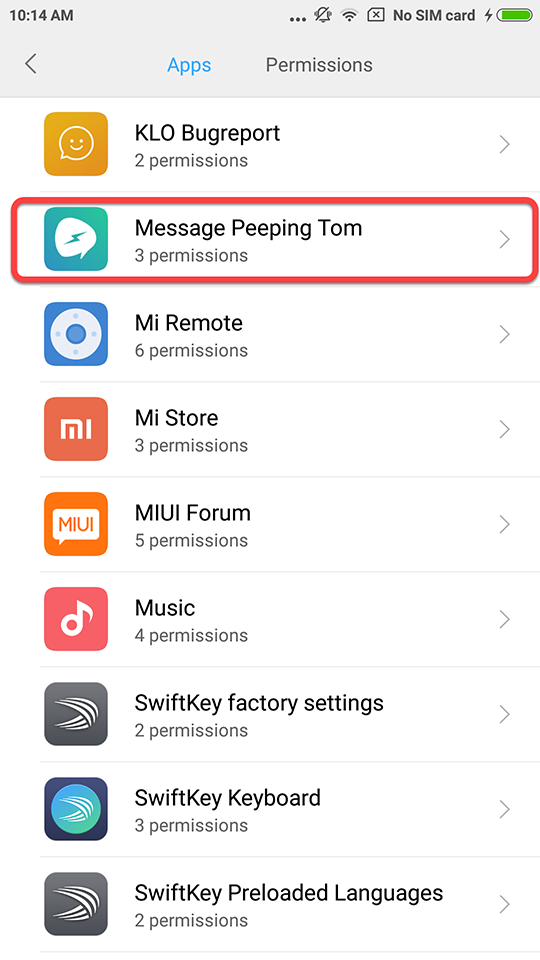
Go to [ Security ] → [ Permissions ] → [ Other permissions ] → Find [ Message Peeping Tom ] → Set the settings as shown below in the picture
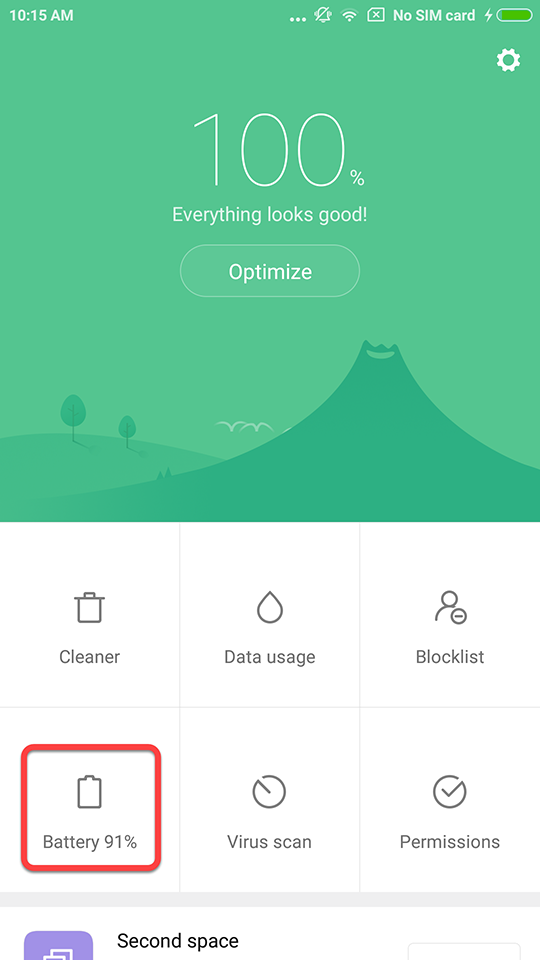
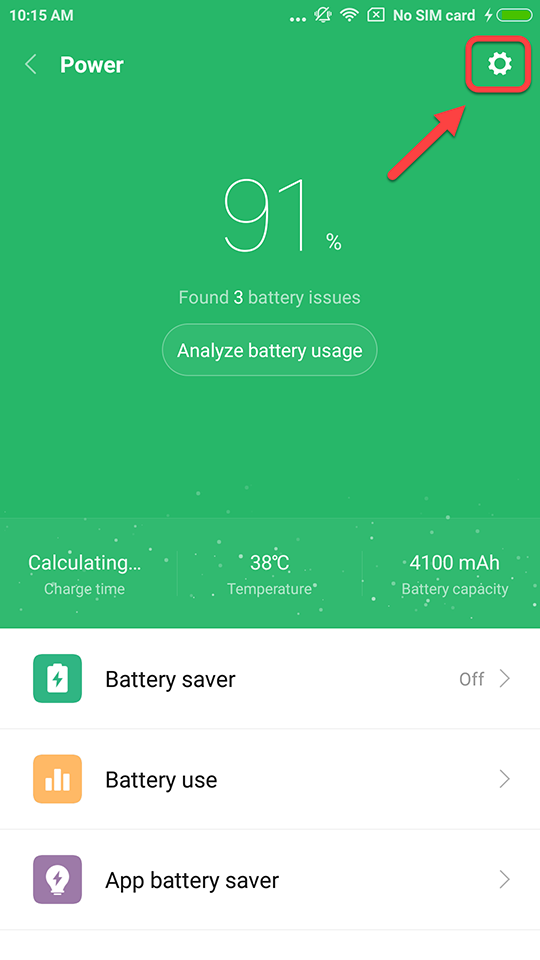
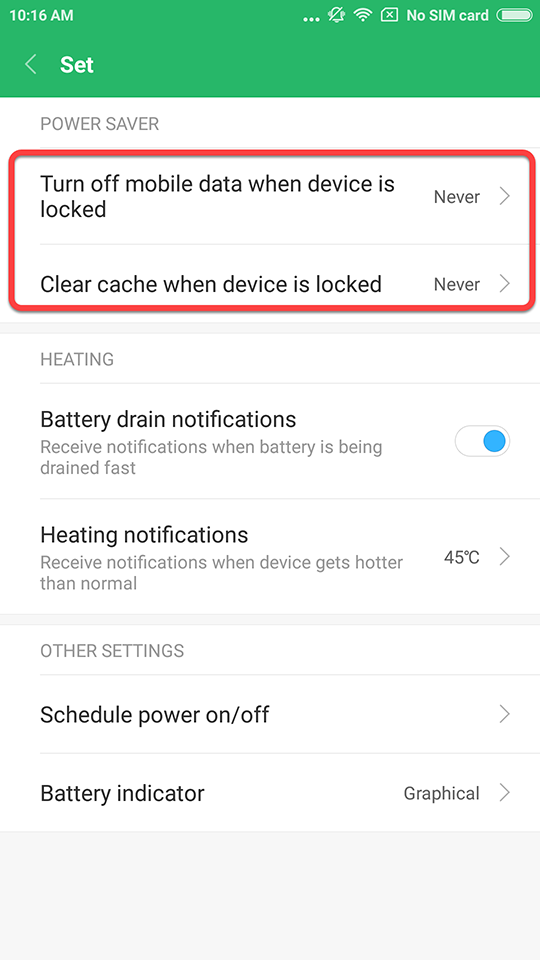
Go to [ Security ] → [ Battery ] → Tap the [ Gear ] icon at the top-right corner → Set the settings as shown below in the picture
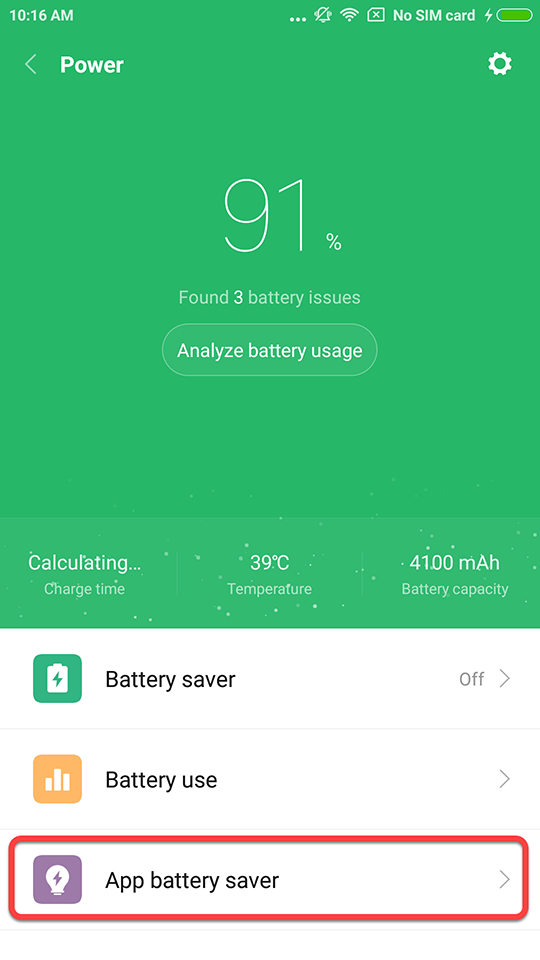
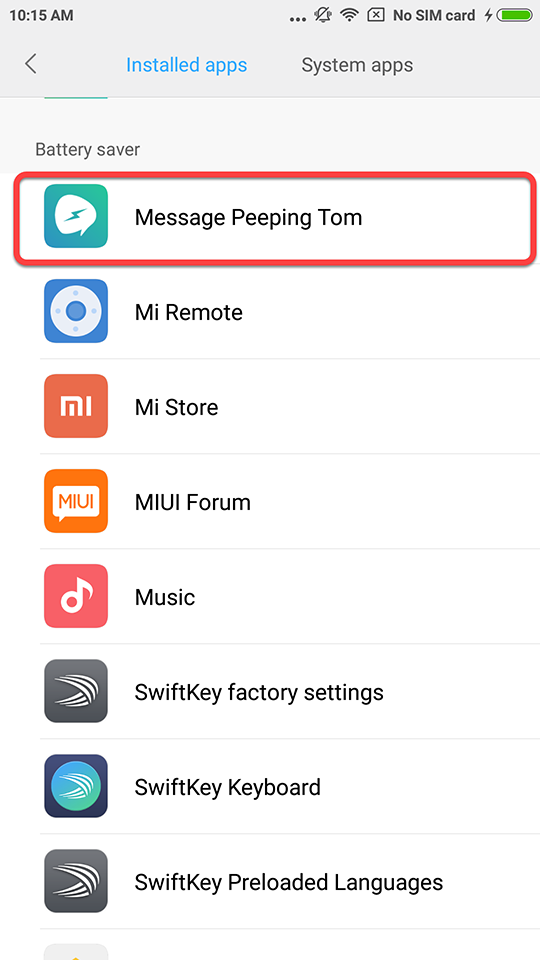
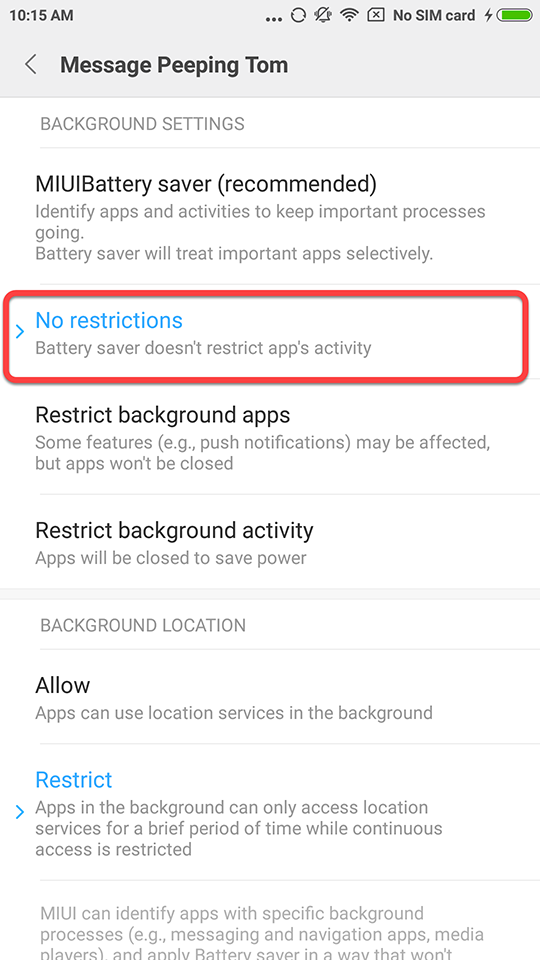
Go to [ Security ] → [ Battery ] → [ App Battery saver ] → Find [ Message Peeping Tom ] → Set the settings as shown below in the picture
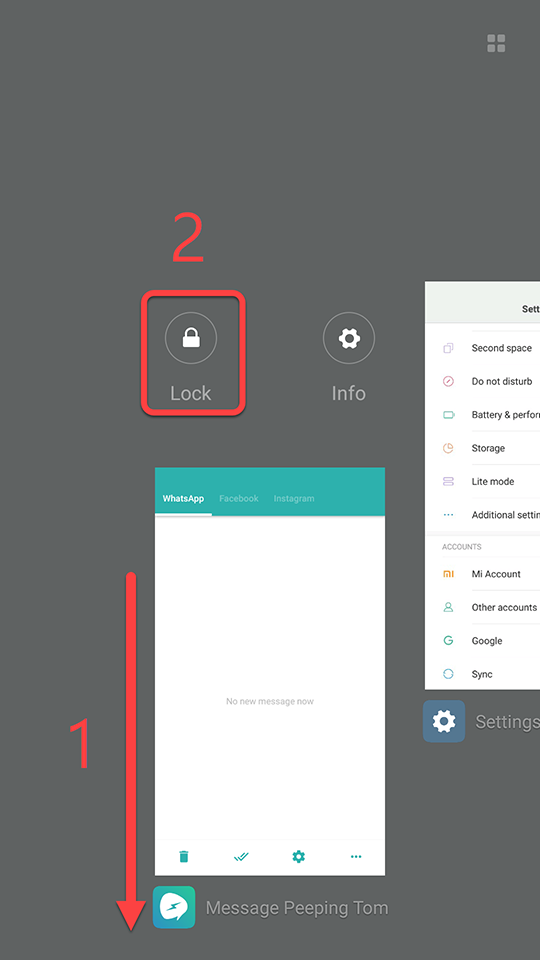
[ Home Screen] → Tap [ Menu ] at the bottom-left corner → Find [ Message Peeping Tom ] → Tap the [ Lock ] button
Please note that only when the Lock icon appears will Message Peeping Tom NOT be cleared by the system.
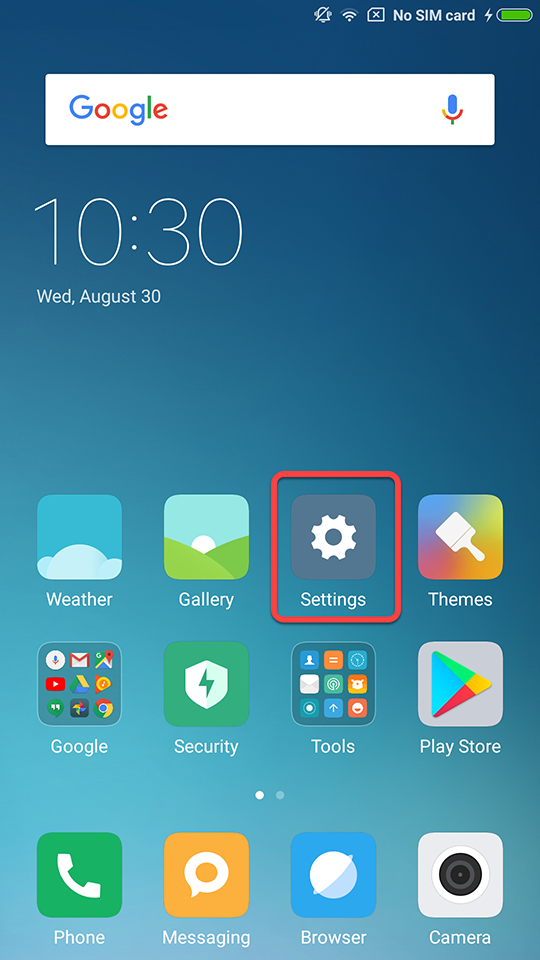
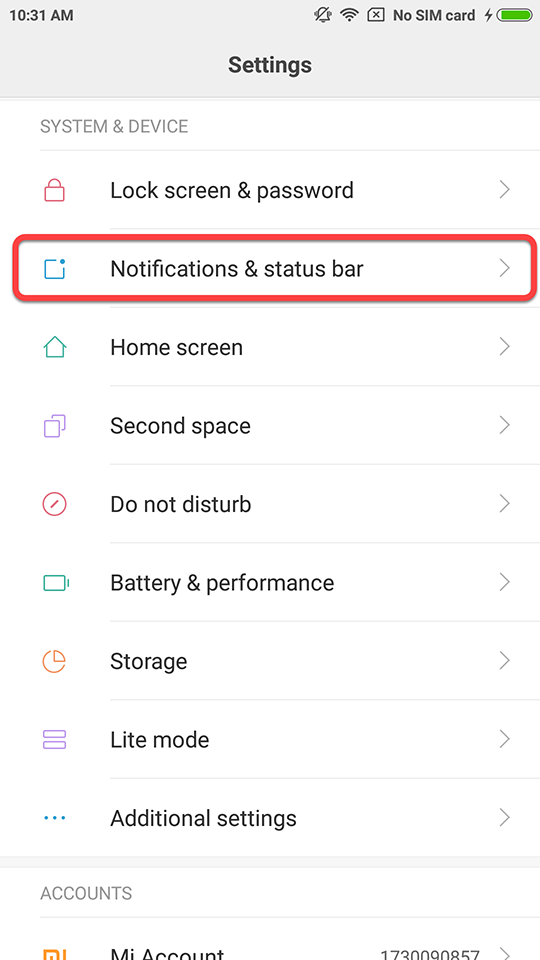
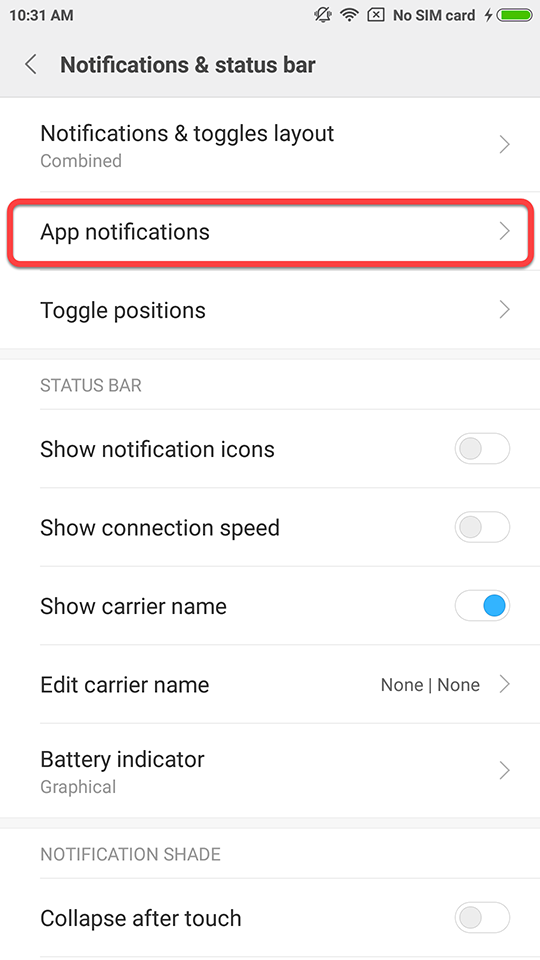
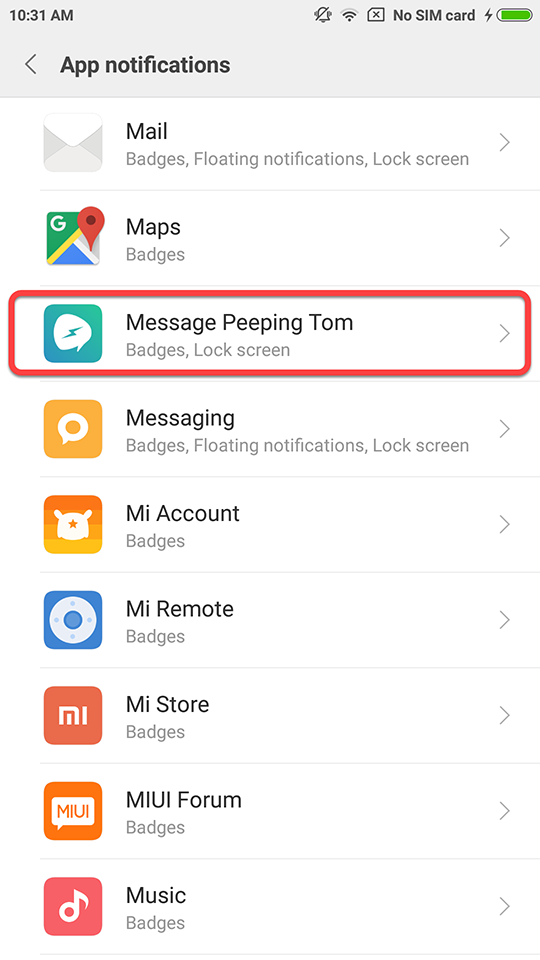
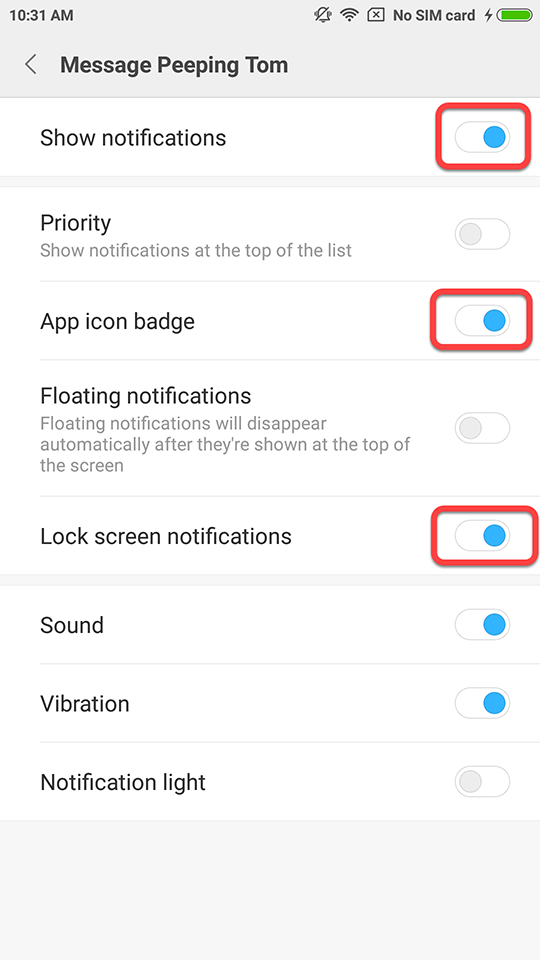
Go to [ Settings ] → [ Notification and status bar ] → [ App notifications ] → Find [ Message Peeping Tom ] → Set the settings as shown below in the picture.
(👉To prevent messaging apps from being cleared by the system, please set your messaging apps (WhatsApp, Facebook, Instagram...) accordingly by using the same steps provided above.👈)